---
title: Keyboard shortcuts for mail
description: Move around mail and act on messages without the mouse.
---
Mail shortcuts use the letter **m** first. Press **m**, then the second key within about a second and a half. While **m** is waiting for the next key, a bar at the bottom of the screen lists every choice.
Shortcuts do nothing while you are typing in a field, such as the search box or the composer.
## m shortcuts
### Go to a folder
| Keys | Goes to |
| --- | --- |
| **m** then **i** | Inbox |
| **m** then **s** | Sent |
| **m** then **d** | Drafts |
| **m** then **f** | Starred |
| **m** then **t** | Trash |
| **m** then **v** | Archive |
| **m** then **p** | Spam |
### Act on mail
| Keys | What it does |
| --- | --- |
| **m** then **c** | Opens a new message. |
| **m** then **r** | With a message open, opens a new, empty message. It does not fill in a reply: use **Reply** in the toolbar for that. |
| **m** then **x** | Stars or unstars the open message. |
| **m** then **u** | Marks the open message as read or unread. |
| **m** then **e** | Archives the open message. |
| **m** then **#** | Deletes the open message, without asking first. |
| **m** then **/** | Jumps to the search box. |
| **m** then **a** | Opens or closes the Mail AI panel. |
:::warning
**m** then **#** moves the message to **Trash** at once, with no confirmation. You can restore it from Trash.
:::
## Single keys
| Key | What it does |
| --- | --- |
| **j** or **n** | Opens the next message in the folder and marks it read. It also steps through messages the current tab hides. |
| **k** or **p** | Opens the previous message in the folder and marks it read. It also steps through messages the current tab hides. |
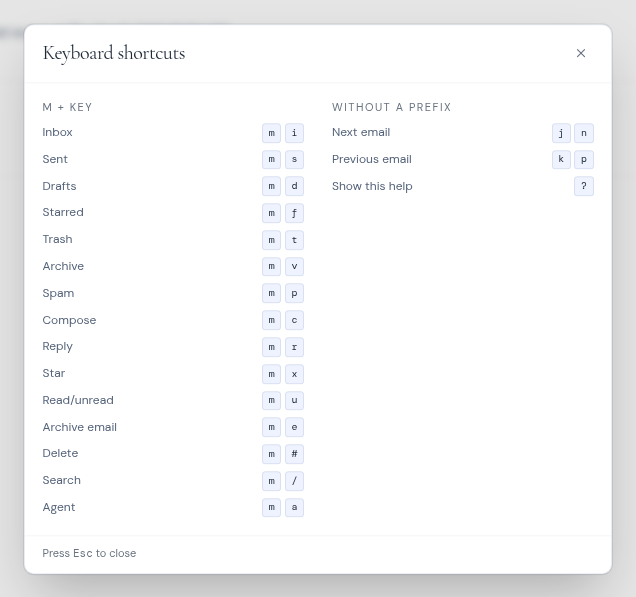
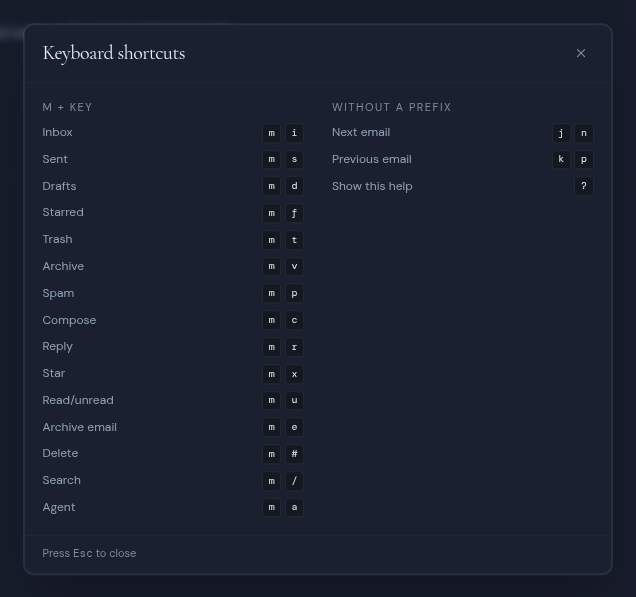
| **?** | Shows or hides the **Keyboard shortcuts** help. |
| **Esc** | Closes the composer, or the shortcuts help. |
**j**, **n**, **k** and **p** do nothing while you hold Ctrl, Cmd, Alt or Shift.
 For shortcuts that work everywhere in Metis Suite, such as switching workspaces, see [Reference](/guide/reference).