---
title: AI models
description: Connect an LLM to turn on the assistant and AI features, and optionally add a decision model.
---
AI is off on a new instance. Metis Suite does not include a model: you bring your own, from OpenAI, Anthropic, or any service with an OpenAI-compatible API, including one you run yourself.
While AI is off, the assistant, smart replies, AI labels, thread summaries and the MCP server are unavailable. People on your instance can also turn AI off for their own workspaces and mailboxes; those switches cover every model call.
## Set up the LLM
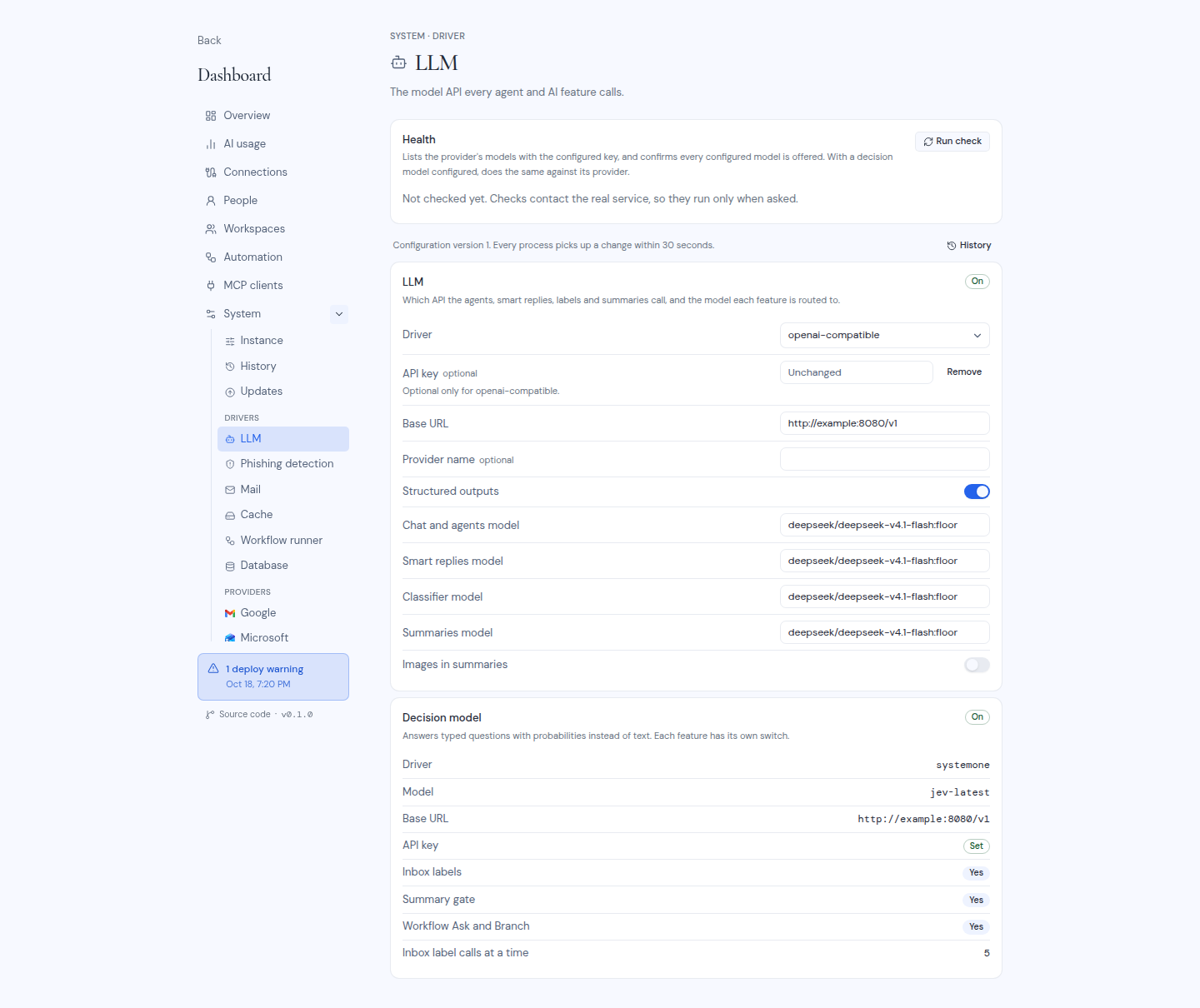
Open **Dashboard**, **System**, **LLM** under **Drivers**.
| Field | What to enter |
| --- | --- |
| **Driver** | `openai`, `anthropic`, `openai-compatible`, or `disabled` to turn AI off. |
| **API key** | Your provider's key. Optional only for `openai-compatible`. |
| **Base URL** | `openai-compatible` only: the address of the API. |
| **Provider name** | `openai-compatible` only, optional: a name for the provider. |
| **Structured outputs** | `openai-compatible` only. Turn it on if your provider supports structured outputs. |
| **Chat and agents model** | The model for the assistant and agents. |
| **Smart replies model** | The model for suggested replies. |
| **Classifier model** | The model that sorts mail into labels. |
| **Summaries model** | The model for thread summaries. |
| **Images in summaries** | Sends the images in a message to the summaries model too. Off by default. |
All four model fields are required when a driver is on. Enter the model names your provider uses. You can use the same model for all four.
Without structured outputs, the page notes that summaries need a model with a context window of about 8k tokens or more.
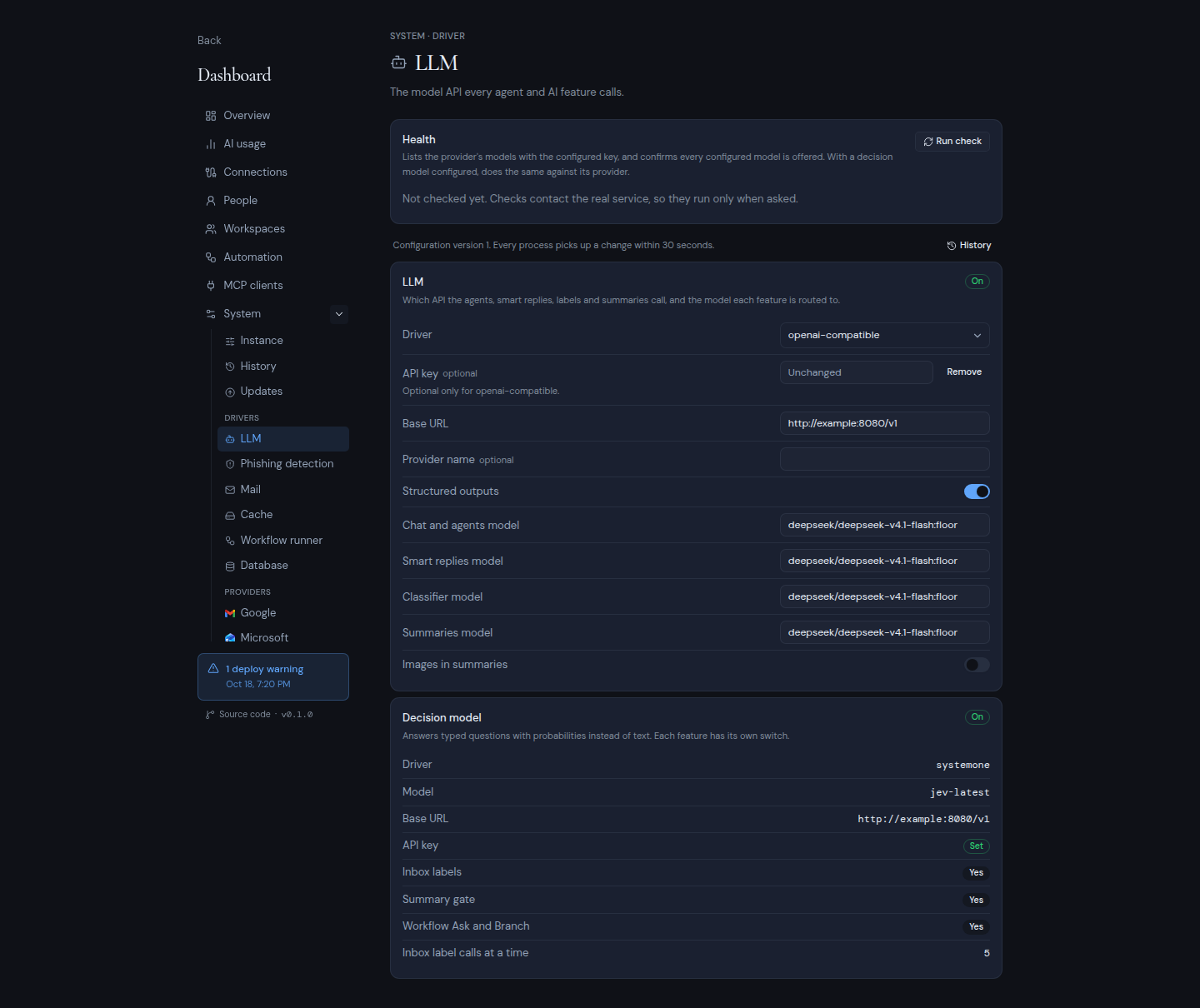
Click **Save changes** and enter your authenticator code. Then click **Run check** in the **Health** card. It lists your provider's models with your key and confirms that every model you entered is offered. If it reports "the API key was rejected (401)" or "not in the provider's model list", fix the key or the model name.
 You can also set the starting values before the first start:
```bash
METIS_LLM_DRIVER=openai
OPENAI_API_KEY=
METIS_LLM_CHAT_MODEL=
METIS_LLM_SMART_REPLY_MODEL=
METIS_LLM_CLASSIFIER_MODEL=
METIS_LLM_SUMMARY_MODEL=
```
Use `ANTHROPIC_API_KEY` for `anthropic`. For `openai-compatible`, use `METIS_LLM_BASE_URL`, `METIS_LLM_API_KEY` and, optionally, `METIS_LLM_NAME` and `METIS_LLM_STRUCTURED_OUTPUTS`.
The **AI usage** page of the dashboard shows the tokens every feature uses. See [Owner dashboard](/self-hosting/operate/owner-dashboard).
## Add a decision model (optional)
A decision model is a second, optional AI backend. It answers typed questions about a message, such as yes or no, pick one, or a rating, with probabilities, in one call. It writes no text. It adds to the LLM and never replaces it.
The decision model is set only in the environment, and a change needs a restart. The **LLM** page shows it read-only, in the **Decision model** card.
| Variable | What it does |
| --- | --- |
| `METIS_DECISION_DRIVER` | `systemone`, `openai` or `disabled` (the default). |
| `METIS_DECISION_MODEL` | The model name. Required unless the driver is disabled. |
| `METIS_DECISION_BASE_URL` | `systemone` only. The server's address. |
| `METIS_DECISION_API_KEY` | `systemone` only, optional. A server that checks keys rejects calls without it. |
`METIS_DECISION_BASE_URL` defaults to `https://api.typesafe.ai/v1`, TypeSafe's hosted service. You can point it at any other server that speaks the systemone protocol, such as Ollama 0.35 or later.
The `openai` driver uses OpenAI's decision model, `gpt-6-luna`, with your `OPENAI_API_KEY`.
A driver alone turns nothing on. Each feature has its own switch, all off by default:
| Switch | Shown on the LLM page as | What it does |
| --- | --- | --- |
| `METIS_DECISION_CLASSIFIER` | **Inbox labels** | Uses the decision model to label incoming mail. |
| `METIS_DECISION_SUMMARY_GATE` | **Summary gate** | Uses the decision model as a gate for thread summaries. |
| `METIS_DECISION_WORKFLOW_NODE` | **Workflow Ask and Branch** | Uses the decision model in the Ask and Branch steps of workflows. |
`METIS_DECISION_CLASSIFIER_BATCH` (1 to 25, default 5) sets how many inbox label calls run at a time.
:::warning
A decision switch does nothing while the LLM driver is `disabled`, because AI is off for the whole instance. The dashboard refuses to save an LLM change that leaves a switch on without an LLM, and the deploy checks show a warning. Set up an LLM first, or turn the switch off.
:::
## What leaves your instance
AI features send the parts of a message they need to your provider: the sender, the subject, a snippet, and the body only where a feature needs it. They send nothing for mailboxes whose AI switch is off in that workspace. The decision model receives the same fields.
You can also set the starting values before the first start:
```bash
METIS_LLM_DRIVER=openai
OPENAI_API_KEY=
METIS_LLM_CHAT_MODEL=
METIS_LLM_SMART_REPLY_MODEL=
METIS_LLM_CLASSIFIER_MODEL=
METIS_LLM_SUMMARY_MODEL=
```
Use `ANTHROPIC_API_KEY` for `anthropic`. For `openai-compatible`, use `METIS_LLM_BASE_URL`, `METIS_LLM_API_KEY` and, optionally, `METIS_LLM_NAME` and `METIS_LLM_STRUCTURED_OUTPUTS`.
The **AI usage** page of the dashboard shows the tokens every feature uses. See [Owner dashboard](/self-hosting/operate/owner-dashboard).
## Add a decision model (optional)
A decision model is a second, optional AI backend. It answers typed questions about a message, such as yes or no, pick one, or a rating, with probabilities, in one call. It writes no text. It adds to the LLM and never replaces it.
The decision model is set only in the environment, and a change needs a restart. The **LLM** page shows it read-only, in the **Decision model** card.
| Variable | What it does |
| --- | --- |
| `METIS_DECISION_DRIVER` | `systemone`, `openai` or `disabled` (the default). |
| `METIS_DECISION_MODEL` | The model name. Required unless the driver is disabled. |
| `METIS_DECISION_BASE_URL` | `systemone` only. The server's address. |
| `METIS_DECISION_API_KEY` | `systemone` only, optional. A server that checks keys rejects calls without it. |
`METIS_DECISION_BASE_URL` defaults to `https://api.typesafe.ai/v1`, TypeSafe's hosted service. You can point it at any other server that speaks the systemone protocol, such as Ollama 0.35 or later.
The `openai` driver uses OpenAI's decision model, `gpt-6-luna`, with your `OPENAI_API_KEY`.
A driver alone turns nothing on. Each feature has its own switch, all off by default:
| Switch | Shown on the LLM page as | What it does |
| --- | --- | --- |
| `METIS_DECISION_CLASSIFIER` | **Inbox labels** | Uses the decision model to label incoming mail. |
| `METIS_DECISION_SUMMARY_GATE` | **Summary gate** | Uses the decision model as a gate for thread summaries. |
| `METIS_DECISION_WORKFLOW_NODE` | **Workflow Ask and Branch** | Uses the decision model in the Ask and Branch steps of workflows. |
`METIS_DECISION_CLASSIFIER_BATCH` (1 to 25, default 5) sets how many inbox label calls run at a time.
:::warning
A decision switch does nothing while the LLM driver is `disabled`, because AI is off for the whole instance. The dashboard refuses to save an LLM change that leaves a switch on without an LLM, and the deploy checks show a warning. Set up an LLM first, or turn the switch off.
:::
## What leaves your instance
AI features send the parts of a message they need to your provider: the sender, the subject, a snippet, and the body only where a feature needs it. They send nothing for mailboxes whose AI switch is off in that workspace. The decision model receives the same fields.