---
title: Background work
description: Choose how your instance runs workflows, scheduled sends, snooze reminders and housekeeping.
---
Some work happens when nobody has a page open: workflows, mail scheduled to send later, snoozed mail coming back, and housekeeping. One background engine does all of it. It runs in short rounds called ticks. You choose what wakes it up, with the workflow runner setting.
| Runner | What you run | Use it when |
| --- | --- | --- |
| `internal` (default) | Nothing extra. The app runs the engine itself. | The app runs on an always-on server, as with the Compose stack. |
| `cron` | An external scheduler that calls the app on a timer. | The app runs on a host that sleeps between requests. |
| `bullmq` | A separate worker process and your own Redis. | You want background work off the web process. |
All three run the same engine on the same database, so schedules, retries and history behave the same way with each.
## Change the runner
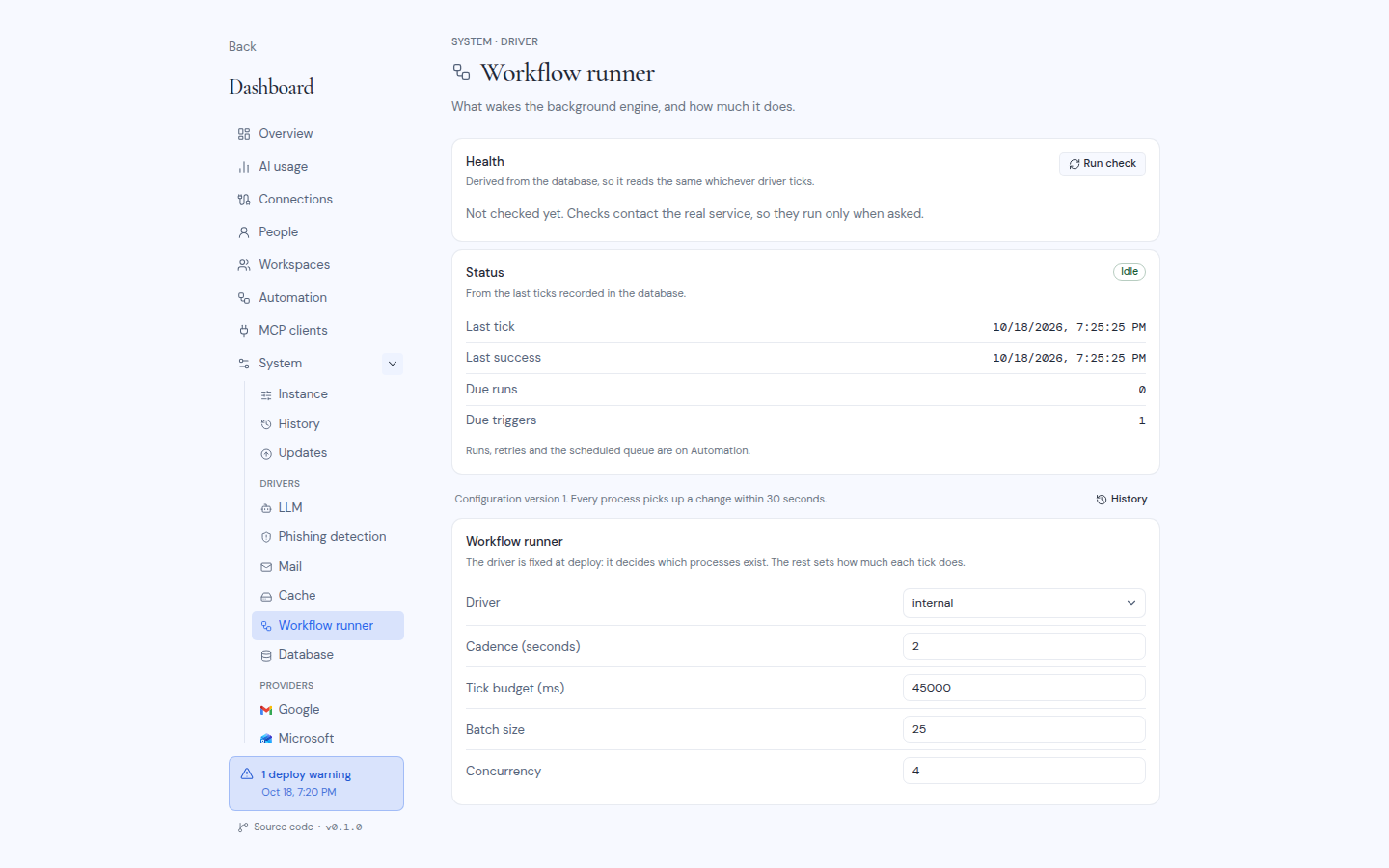
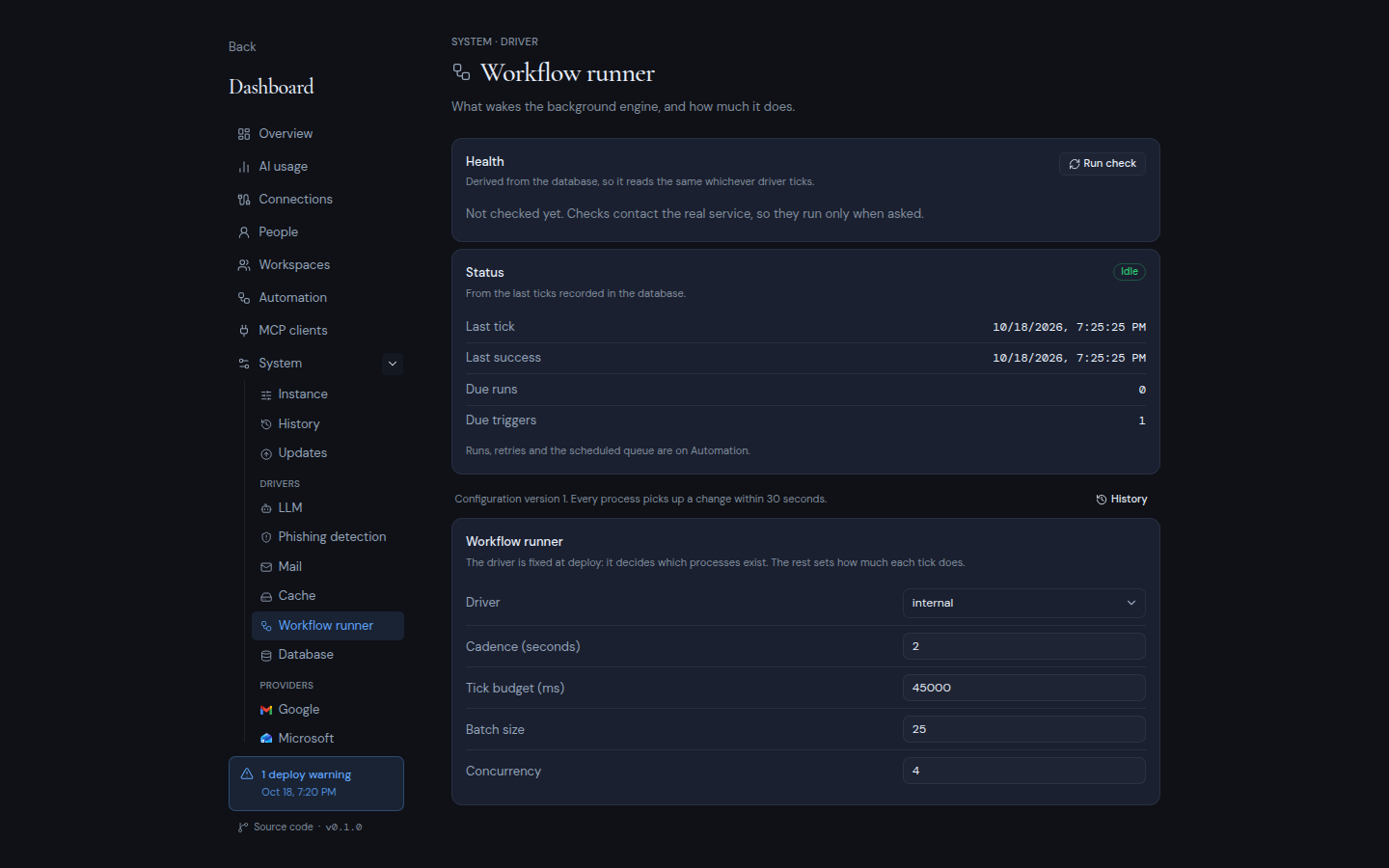
Open **Dashboard**, **System**, **Workflow runner** under **Drivers**. The **Status** card shows the last tick, the last success, any last error, and how much work is due. Change **Driver** and the other fields, then click **Save changes** and enter your authenticator code. No redeploy is needed.
 Prepare the new runner in the same edit:
- **To `internal`:** stop any worker and remove any external scheduler afterwards.
- **To `cron`:** set the **Cron secret** in the same edit, then start your scheduler.
- **To `bullmq`:** start Redis and the worker first, and enter the **Redis URL** in the same edit. Without a worker, nothing runs: work waits in the database.
Nothing needs to move between runners. While the old and new runner overlap for a moment, both may tick, which is harmless.
## internal
The app runs one tick when it starts, then one every cadence (60 seconds by default). It needs a server process that runs all the time. Hosts that suspend the process between requests never work with it, for example scale-to-zero containers or sleeping free tiers. On Vercel, Netlify, AWS Lambda, Azure Functions and Google Cloud Functions, the dashboard refuses to select `internal`. Use `cron` or `bullmq` there.
Background work shares the app's CPU and memory, so a large backlog can slow pages down. If you run several copies of the app, they never do the same work twice.
## cron
Point any scheduler (a crontab, cron-job.org, or your host's cron feature) at the tick endpoint, at least once per cadence. Send the cron secret in the `X-Metis-Secret` header:
```bash
curl -fsS -X POST https://mail.example.com/api/workflows/tick \
-H "X-Metis-Secret: $CRON_SECRET"
```
| Answer | Meaning |
| --- | --- |
| `200` | The tick ran. The body is a JSON summary. |
| `500` | The tick failed. The body includes the failure. |
| `401` | The secret is wrong or missing. |
| `404` | The runner is not set to `cron`. |
Calling more often than the cadence is harmless and runs ready work sooner. Each call runs for up to the tick budget. The endpoint allows 60 seconds. Keep **Tick budget (ms)** under your host's request limit. Under `cron`, its maximum is 55000. Set your scheduler's timeout above the budget.
## bullmq
Run the published worker image, `ghcr.io/trymetis/metis:latest-worker` or `ghcr.io/trymetis/metis:-worker`, on any server that can reach your database. You also need your own Redis, hosted or self-run, with persistence on and `maxmemory-policy noeviction`.
The worker needs only these variables, with the same values as the app:
- `METIS_DB_DRIVER`, `DATABASE_URL`, `DATABASE_AUTH_TOKEN`
- `MASTRA_DATABASE_URL`, `MASTRA_DATABASE_AUTH_TOKEN`
- `METIS_ENCRYPTION_KEY`
- `BETTER_AUTH_SECRET`, `BETTER_AUTH_URL`
It reads everything else from the database, and stays idle while the runner is set to anything other than `bullmq`. The Compose stack does not start a worker.
When Redis is down, no work is lost: the worker waits and catches up once Redis is back. When you stop the worker, it finishes the tick in progress first, so give it a stop timeout longer than the tick budget (75 seconds is enough for the default budget of 45 seconds).
## Tuning
| Field | Default | Range |
| --- | --- | --- |
| **Cadence (seconds)** | 60 | 1 to 86400 |
| **Tick budget (ms)** | 45000 | 1000 to 600000 (55000 under `cron`) |
| **Batch size** | 25 | 1 to 500 |
| **Concurrency** | 4 | 1 to 64 |
| **Queue prefix** (`bullmq` only) | `metis-workflows` | |
Each tick takes up to **Batch size** pieces of work and runs **Concurrency** of them at a time, until the budget runs out. A backlog drains over several ticks on its own. To drain it faster, call the tick endpoint more often (`cron`), or raise the batch size and concurrency.
You can also set the starting values before the first start, with `METIS_WORKFLOW_RUNNER_DRIVER`, `METIS_WORKFLOW_CADENCE_SEC`, `METIS_WORKFLOW_TICK_BUDGET_MS`, `METIS_WORKFLOW_BATCH_SIZE`, `METIS_WORKFLOW_CONCURRENCY`, `METIS_WORKFLOW_REDIS_URL`, `METIS_WORKFLOW_QUEUE_PREFIX` and `CRON_SECRET`.
## Check that it runs
The **Automation** page of the dashboard shows whether ticks arrive and how much work is overdue. See [Owner dashboard](/self-hosting/operate/owner-dashboard#automation).
Every tick also writes one line to the log, from the worker under `bullmq`, or from the app otherwise. The line starts with `[workflow-runner] tick` and shows the outcome: `worked`, `idle` or `failed`. These lines carry ids, counts and error codes only, never message contents or recipients.
:::note
If a send was already leaving when a process stopped, it is not retried. It shows as unconfirmed in the scheduled view, where a person checks it and closes it.
:::
Prepare the new runner in the same edit:
- **To `internal`:** stop any worker and remove any external scheduler afterwards.
- **To `cron`:** set the **Cron secret** in the same edit, then start your scheduler.
- **To `bullmq`:** start Redis and the worker first, and enter the **Redis URL** in the same edit. Without a worker, nothing runs: work waits in the database.
Nothing needs to move between runners. While the old and new runner overlap for a moment, both may tick, which is harmless.
## internal
The app runs one tick when it starts, then one every cadence (60 seconds by default). It needs a server process that runs all the time. Hosts that suspend the process between requests never work with it, for example scale-to-zero containers or sleeping free tiers. On Vercel, Netlify, AWS Lambda, Azure Functions and Google Cloud Functions, the dashboard refuses to select `internal`. Use `cron` or `bullmq` there.
Background work shares the app's CPU and memory, so a large backlog can slow pages down. If you run several copies of the app, they never do the same work twice.
## cron
Point any scheduler (a crontab, cron-job.org, or your host's cron feature) at the tick endpoint, at least once per cadence. Send the cron secret in the `X-Metis-Secret` header:
```bash
curl -fsS -X POST https://mail.example.com/api/workflows/tick \
-H "X-Metis-Secret: $CRON_SECRET"
```
| Answer | Meaning |
| --- | --- |
| `200` | The tick ran. The body is a JSON summary. |
| `500` | The tick failed. The body includes the failure. |
| `401` | The secret is wrong or missing. |
| `404` | The runner is not set to `cron`. |
Calling more often than the cadence is harmless and runs ready work sooner. Each call runs for up to the tick budget. The endpoint allows 60 seconds. Keep **Tick budget (ms)** under your host's request limit. Under `cron`, its maximum is 55000. Set your scheduler's timeout above the budget.
## bullmq
Run the published worker image, `ghcr.io/trymetis/metis:latest-worker` or `ghcr.io/trymetis/metis:-worker`, on any server that can reach your database. You also need your own Redis, hosted or self-run, with persistence on and `maxmemory-policy noeviction`.
The worker needs only these variables, with the same values as the app:
- `METIS_DB_DRIVER`, `DATABASE_URL`, `DATABASE_AUTH_TOKEN`
- `MASTRA_DATABASE_URL`, `MASTRA_DATABASE_AUTH_TOKEN`
- `METIS_ENCRYPTION_KEY`
- `BETTER_AUTH_SECRET`, `BETTER_AUTH_URL`
It reads everything else from the database, and stays idle while the runner is set to anything other than `bullmq`. The Compose stack does not start a worker.
When Redis is down, no work is lost: the worker waits and catches up once Redis is back. When you stop the worker, it finishes the tick in progress first, so give it a stop timeout longer than the tick budget (75 seconds is enough for the default budget of 45 seconds).
## Tuning
| Field | Default | Range |
| --- | --- | --- |
| **Cadence (seconds)** | 60 | 1 to 86400 |
| **Tick budget (ms)** | 45000 | 1000 to 600000 (55000 under `cron`) |
| **Batch size** | 25 | 1 to 500 |
| **Concurrency** | 4 | 1 to 64 |
| **Queue prefix** (`bullmq` only) | `metis-workflows` | |
Each tick takes up to **Batch size** pieces of work and runs **Concurrency** of them at a time, until the budget runs out. A backlog drains over several ticks on its own. To drain it faster, call the tick endpoint more often (`cron`), or raise the batch size and concurrency.
You can also set the starting values before the first start, with `METIS_WORKFLOW_RUNNER_DRIVER`, `METIS_WORKFLOW_CADENCE_SEC`, `METIS_WORKFLOW_TICK_BUDGET_MS`, `METIS_WORKFLOW_BATCH_SIZE`, `METIS_WORKFLOW_CONCURRENCY`, `METIS_WORKFLOW_REDIS_URL`, `METIS_WORKFLOW_QUEUE_PREFIX` and `CRON_SECRET`.
## Check that it runs
The **Automation** page of the dashboard shows whether ticks arrive and how much work is overdue. See [Owner dashboard](/self-hosting/operate/owner-dashboard#automation).
Every tick also writes one line to the log, from the worker under `bullmq`, or from the app otherwise. The line starts with `[workflow-runner] tick` and shows the outcome: `worked`, `idle` or `failed`. These lines carry ids, counts and error codes only, never message contents or recipients.
:::note
If a send was already leaving when a process stopped, it is not retried. It shows as unconfirmed in the scheduled view, where a person checks it and closes it.
:::