Server lists
Offer your own IMAP, CalDAV, S3, WebDAV, FTP, FTPS and SFTP servers to the people on your instance.
Besides Google, Microsoft and Zoho, users can connect to servers that you list. You decide the servers. Users pick one by its name in the connect dialog and bring only their own login. Metis Suite never connects to a server address that a user types in.
| Provider | What users connect | Page under System, Providers |
|---|---|---|
| IMAP | A mailbox over IMAP, sending over SMTP | IMAP |
| CalDAV | A calendar account | CalDAV |
| S3 | A bucket, on keys you hold. Users pick only a bucket and a prefix | S3 |
| WebDAV | A drive, relayed through your server | WebDAV |
| FTP and FTPS | A drive, relayed through your server | FTP |
| SFTP | A drive, relayed through your server, with a pinned host key | SFTP |
| Cloudflare Email, Resend | A mailbox on your own domain | See Mail gateways |
Add a server in the dashboard
- Open Dashboard, System, then the provider under Providers.
- Click Add server and fill in the fields. New entries are marked “new”.
- Click Save changes and enter your authenticator code. The server is checked before it is saved.
- In the Health card, click Run check. It runs the same checks as a deploy, against every entry, without signing in as any user.
Each entry shows how many connections use it. To remove one, click its trash icon.
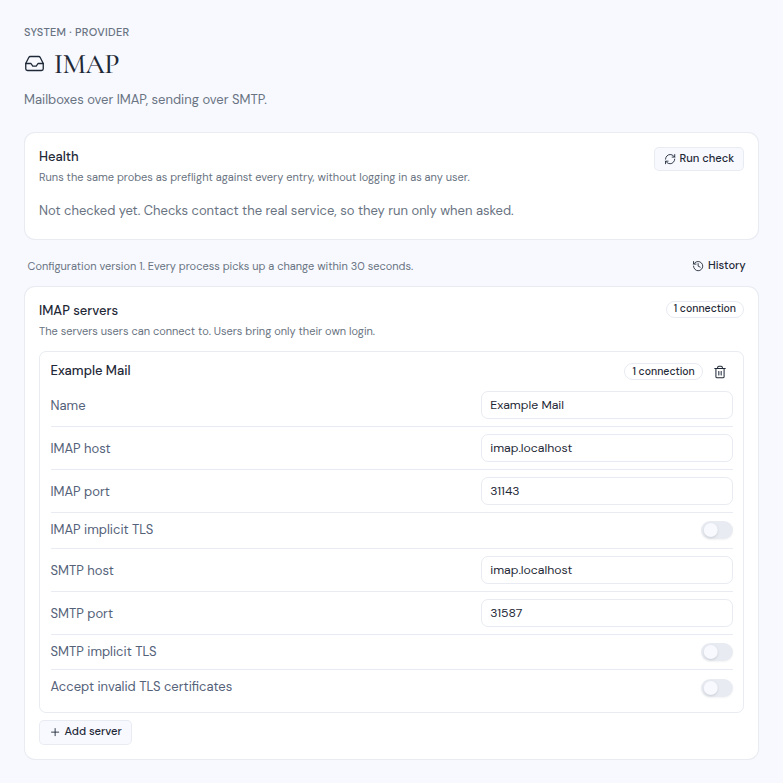
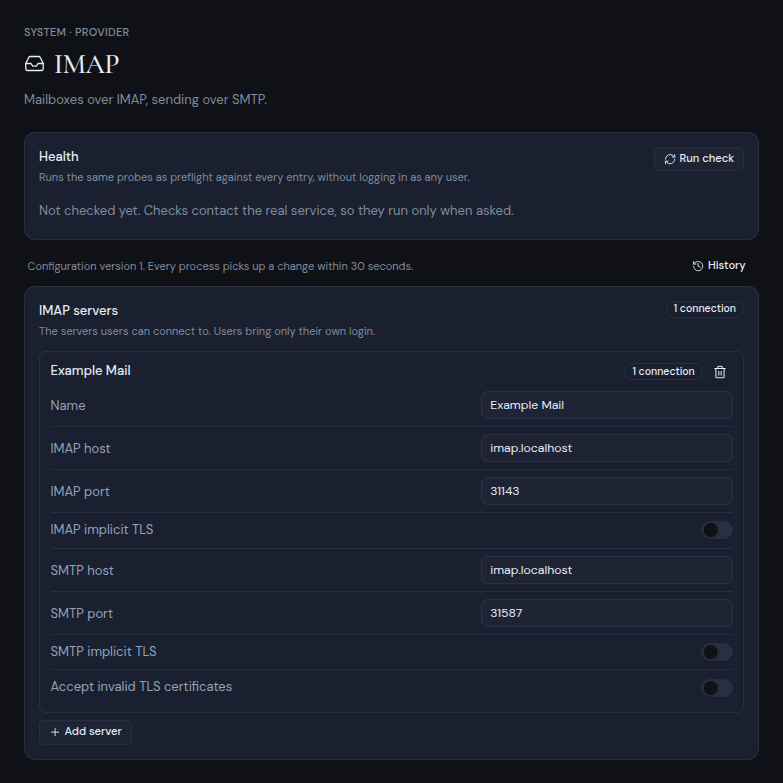
Rules for every entry:
- Each entry needs a Name of 1 to 64 characters, different from the other entries. Users see this name.
- Host fields take a hostname such as
imap.example.com, never a URL. - Renaming an entry keeps its connections.
Fields for each provider
IMAP
| Field | Default |
|---|---|
| IMAP host, IMAP port | port 993 |
| IMAP implicit TLS | on |
| SMTP host, SMTP port | port 465 |
| SMTP implicit TLS | on |
| Accept invalid TLS certificates | off |
CalDAV
| Field | Notes |
|---|---|
| CalDAV URL | The full URL, including https://. |
| Accept invalid TLS certificates | Off by default. |
S3
| Field | Default and notes |
|---|---|
| Endpoint | An http:// or https:// URL. |
| Region | us-east-1 |
| Access key ID, Secret access key | The keys Metis Suite uses for this server. |
| Path-style addressing | on |
| Accept invalid TLS certificates | off |
| Transfers | direct (the default) or relay. See below. |
| Checksums | required (the default) or supported. Choose supported for AWS S3 or Cloudflare R2. Leave it at required for MinIO and most other S3-compatible servers. |
With direct transfers, files go straight between the browser and the bucket, so the browser must be able to reach the endpoint and the bucket needs a CORS rule. Choose relay when browsers cannot reach the endpoint, the certificate is self-signed, or the bucket cannot have a CORS rule. Relayed files pass through your server. See Drive transfers.
WebDAV
| Field | Notes |
|---|---|
| WebDAV URL | The full URL of the WebDAV server. |
| Accept invalid TLS certificates | Off by default. |
FTP and FTPS
| Field | Default and notes |
|---|---|
| Host, Port | port 21 |
| TLS | explicit (the default), implicit, or none for plain FTP. |
| Accept invalid TLS certificates | off |
| Pool size | 2, from 1 to 10. The total number of connections Metis Suite opens to this server, across all users. Keep it under the server’s limit per IP address. |
SFTP
| Field | Default and notes |
|---|---|
| Host, Port | port 22 |
| Host key (SHA256) | Required. A server that presents any other key is refused. |
| Pool size | 3, from 1 to 10. Total connections across all users. |
Get the host key fingerprint from a trusted machine with:
ssh-keyscan -p 22 sftp.example.com | ssh-keygen -lf -Enter it as ssh-keygen prints it, starting with SHA256:.
Set the starting list in the environment
Before the first start, you can set each list as a JSON array. After the first start, change the lists in the dashboard.
METIS_IMAP_SERVERS=[{"name":"Fastmail","imap":{"host":"imap.fastmail.com"},"smtp":{"host":"smtp.fastmail.com"}}]
METIS_CALDAV_SERVERS=[{"name":"Fastmail Calendar","url":"https://caldav.fastmail.com/dav/"}]
METIS_S3_SERVERS=[{"name":"Team Storage","endpoint":"https://s3.eu-central-1.amazonaws.com","region":"eu-central-1","accessKeyId":"AKIA...","secretAccessKey":"...","forcePathStyle":true}]
METIS_WEBDAV_SERVERS=[{"name":"Nextcloud","url":"https://cloud.example.com/remote.php/dav/files/"}]
METIS_FTP_SERVERS=[{"name":"Office FTP","host":"ftp.example.com","port":21,"secure":"explicit","poolSize":2}]
METIS_SFTP_SERVERS=[{"name":"Office SFTP","host":"sftp.example.com","port":22,"hostKeySha256":"SHA256:..."}]
The JSON keys are listed in Environment variables.