Snooze and read later
Hide a message until a better time, bring it back early, and save messages to read later.
Two tools help you deal with mail at the right time. Snooze hides a message and brings it back to your Inbox when you choose. Read later keeps a list of messages you want to come back to, without moving them.
Snooze a message
- Open the message.
- Click Snooze in the toolbar.
- Pick a time: Later today (+3 hrs), Tomorrow 9 AM, This weekend (Sat 9 AM) or Next week (Mon 9 AM).
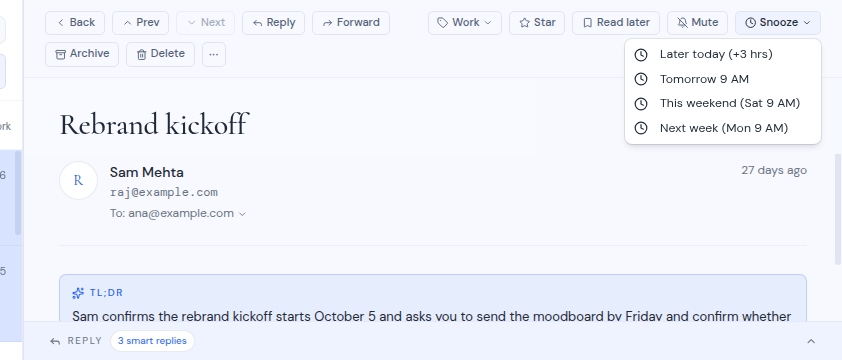
The message is archived and leaves the list. At the time you picked, it comes back to your Inbox.
Snooze is not offered for messages in Trash.
Some summary cards have a Remind me button, for example on a bill or a package. It snoozes the message too, and a notice tells you when it comes back. See AI help in mail.
See and manage snoozed messages
Open Snoozed in the sidebar. The heading shows how many messages are pending. Each row shows the sender, the subject and when the message returns, for example “Returns Tomorrow at 9 AM”.
- Wake now brings the message back to your Inbox right away.
- Cancel cancels the snooze.
If nothing is snoozed, the page says “Nothing snoozed.” and reminds you how to use Snooze.
If something went wrong when a message was due back, the row shows the problem in place of the return time.
If a snooze fails, the message comes back to the list the next time it refreshes.
Save a message to read later
- Open the message.
- Click Read later in the toolbar. The button changes to Saved.
To see your saved messages, click Read later in the sidebar. It shows the saved messages that are in your Inbox. If you archive or move a saved message out of the Inbox, it no longer shows there.
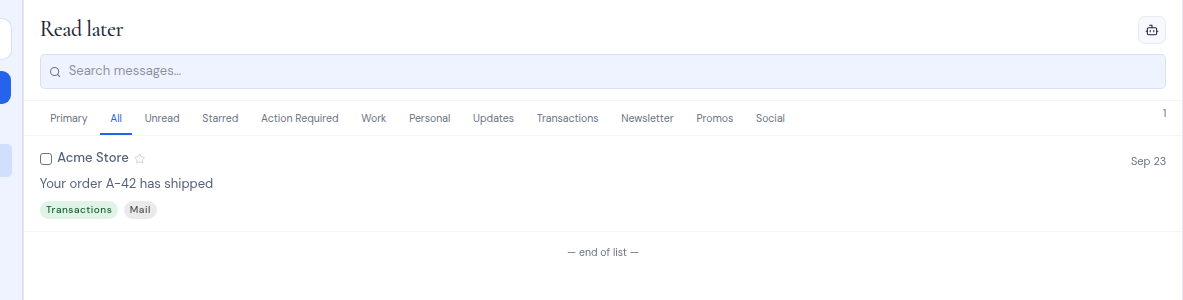
To remove a message from the list, open it and click Saved.
Read later is personal. Other people who share the mailbox do not see your list.