Add a BCC to outgoing mail
Build a workflow that copies the mail you send to another address, such as an archive.
A workflow that starts with Before a message is sent runs each time someone in the workspace sends a message from the mail app, just before it goes out. With an Auto-BCC step, it adds an address as a blind copy (BCC). The people you write to do not see a BCC address.
Use this to keep a copy of your sent mail in an archive mailbox, or to copy a team address on everything you send.
Build the workflow
-
Click Workflows in the left rail.
-
Click New workflow and pick any template, such as One mailbox, on arrival. Then remove its steps with the X in each step’s title bar until the canvas is empty.
-
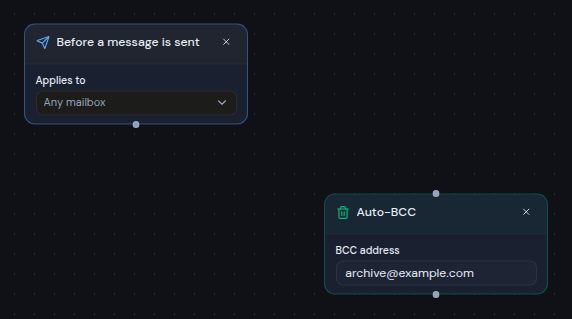
Click Add step and choose Before a message is sent under Trigger.
-
In Applies to, choose Any mailbox, or pick one mailbox so the copy is only added to mail sent from that address.
-
Click Add step and choose Auto-BCC under Action.
-
In BCC address, enter the address to copy, for example
archive@example.com.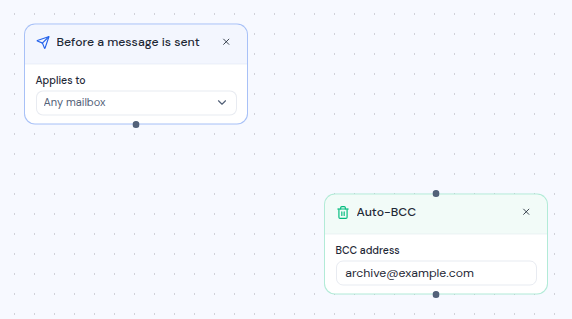
-
Drag from the dot at the bottom of Before a message is sent to the dot at the top of Auto-BCC.
-
Name the workflow, check that the switch says Enabled, and click Create workflow.
From now on, every message anyone in the workspace sends from the chosen mailboxes in the mail app, including scheduled messages, gets the extra BCC address. Mail sent by the AI assistant or a connected AI client does not.
Copy only some messages
To add the BCC only to some messages, put an If step between the trigger and Auto-BCC:
- Add an If step and connect the trigger to it.
- Set a condition, for example Recipient ends with
@example.com. - Connect the Yes output of If to Auto-BCC, and remove the direct connection from the trigger.
The conditions check the message you are sending. See Steps for the fields you can test.
Good to know
- Only mail sent from the mail app. Messages sent from the chosen mailboxes in the mail app get the BCC, including scheduled messages. Mail sent by the AI assistant or a connected AI client does not.
- An address is never added twice. If the address is already on the message as a recipient, Cc or BCC, it is not added again.
- Only If and Auto-BCC work here. A Before a message is sent trigger cannot feed Mailbox, Ask or any other action. Saving shows a message if you try.
- Several workflows can add addresses. If more than one enabled workflow applies to a message, each one adds its address.
- No runs in the history. These workflows run as part of sending, so they do not appear under Activity.
- Turned off means no copy. A disabled workflow adds nothing.